Security operations has always been an interface problem.
The modern security analyst does not lack tools. They lack a way to move through the work without constantly translating their intent into someone else’s interface.
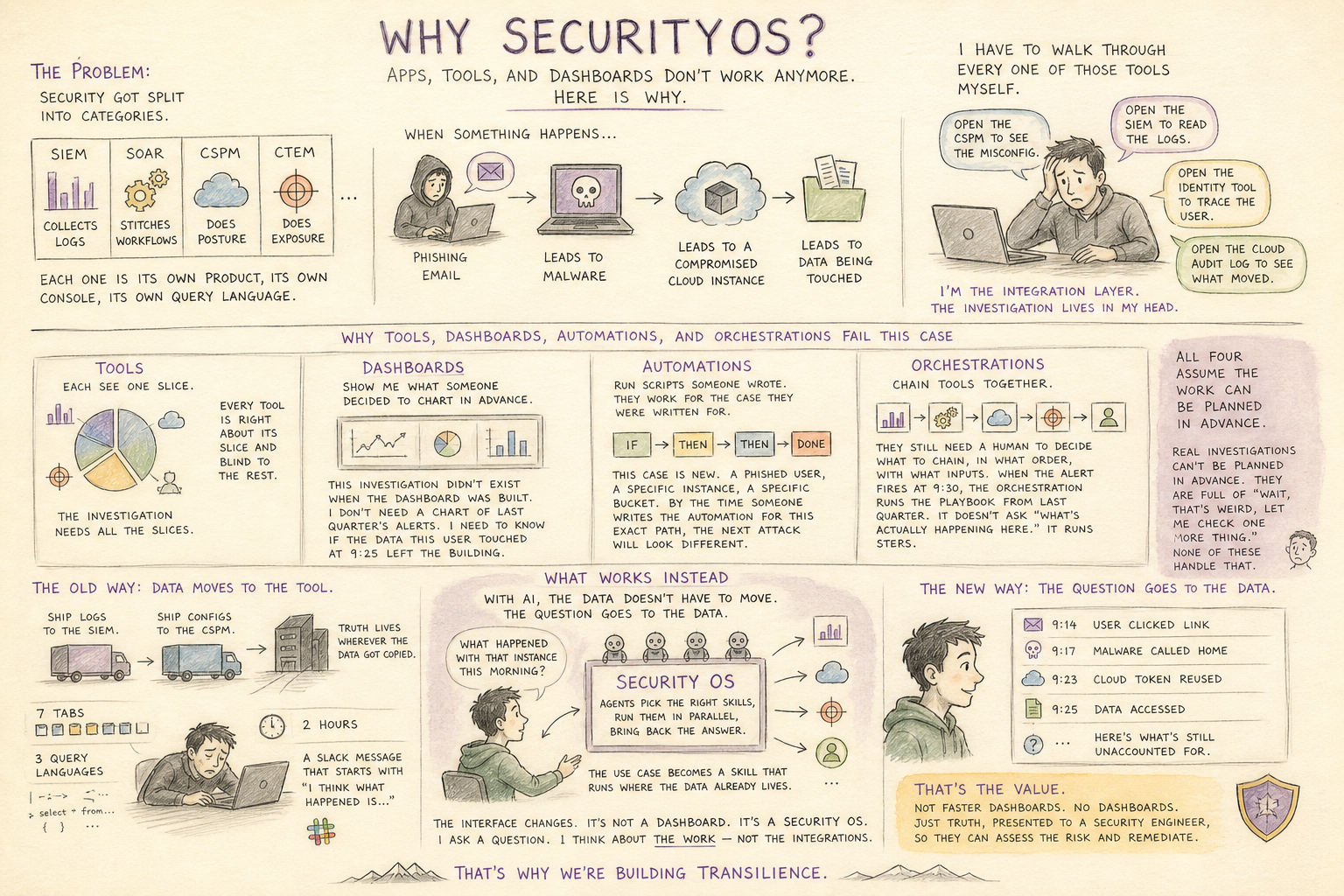
A typical investigation asks the analyst to jump between SIEM dashboards, cloud logs, endpoint tools, ticketing systems, identity platforms, threat intelligence feeds, Slack threads, and documentation. Each system has its own query language, workflow, mental model, and failure mode. The analyst’s job becomes less about judgment and more about navigation.
The next generation of security operating systems will change that.
The future interface for security operations is not simply text chat. It is not simply voice. It is not another dashboard. It is a conversational operating layer that understands the analyst’s intent, gathers evidence across systems, presents multi-faceted context, and helps the analyst take action.
In other words: the analyst should be able to ask, investigate, decide, and respond in one continuous flow.
Why the Interface Matters So Much in Security
Security work is high-context, time-sensitive, and cognitively expensive.
A good analyst is constantly asking:
- What happened?
- Is this real?
- What systems are involved?
- What changed recently?
- What is the blast radius?
- What should I do next?
- Who needs to know?
- What evidence supports this conclusion?
Today, answering those questions requires translating human intent into many mechanical steps. Search here. Pivot there. Copy an IP. Paste a hash. Query logs. Open a ticket. Ask someone in Slack. Check cloud activity. Compare timestamps. Build a timeline. Write the incident summary.
Every context switch burns attention. Every tool boundary increases the chance of delay or error. Every dashboard assumes the analyst already knows what to look for.
A security operating system should invert that relationship.
Instead of asking analysts to conform to tools, the system should conform to the analyst’s investigation.
Interface 1: Text-to-Text Chat
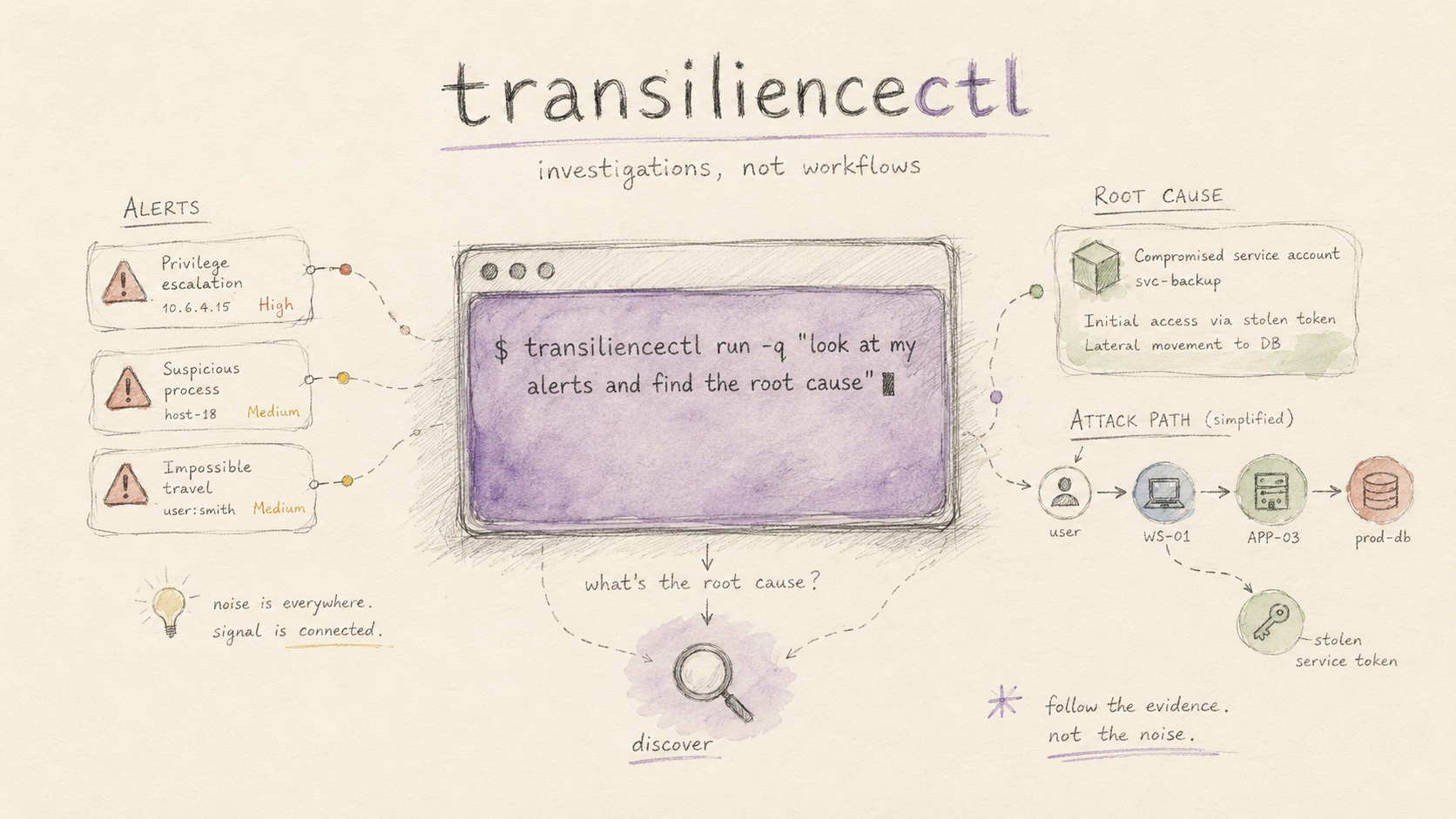
The most obvious conversational interface is text-to-text: the analyst types a question, and the system responds.
Example:
"Show me all suspicious authentication events for this user over the last 24 hours."
Or:
"Summarize why this GuardDuty alert matters."
This interface is powerful because it is familiar, precise, and asynchronous. Analysts already live in text: tickets, Slack, queries, reports, notes, incident timelines. A typed interface fits naturally into that world.
Strengths
Text is excellent for precision. Analysts can paste indicators, resource names, log snippets, detection IDs, and policy language. The system can respond with structured evidence, timelines, hypotheses, and recommended next steps.
Text also creates an audit trail. In security, this matters. A typed investigation can be reviewed later: what was asked, what evidence was returned, what decision was made, and why.
Text-to-text interfaces are especially useful for:
- Investigating alerts
- Generating incident summaries
- Asking follow-up questions
- Querying across logs and telemetry
- Drafting remediation plans
- Producing compliance or executive explanations
Weaknesses
Text chat alone can become another pane of glass. If the system only answers in paragraphs, the analyst still has to mentally map those answers back to dashboards, systems, identities, assets, and actions.
Security is not just a Q&A workflow. It is exploratory and spatial. Analysts need to see relationships: user to role, role to resource, resource to external destination, alert to business impact.
Text chat is good at explanation, but weak at visual correlation unless paired with richer outputs.
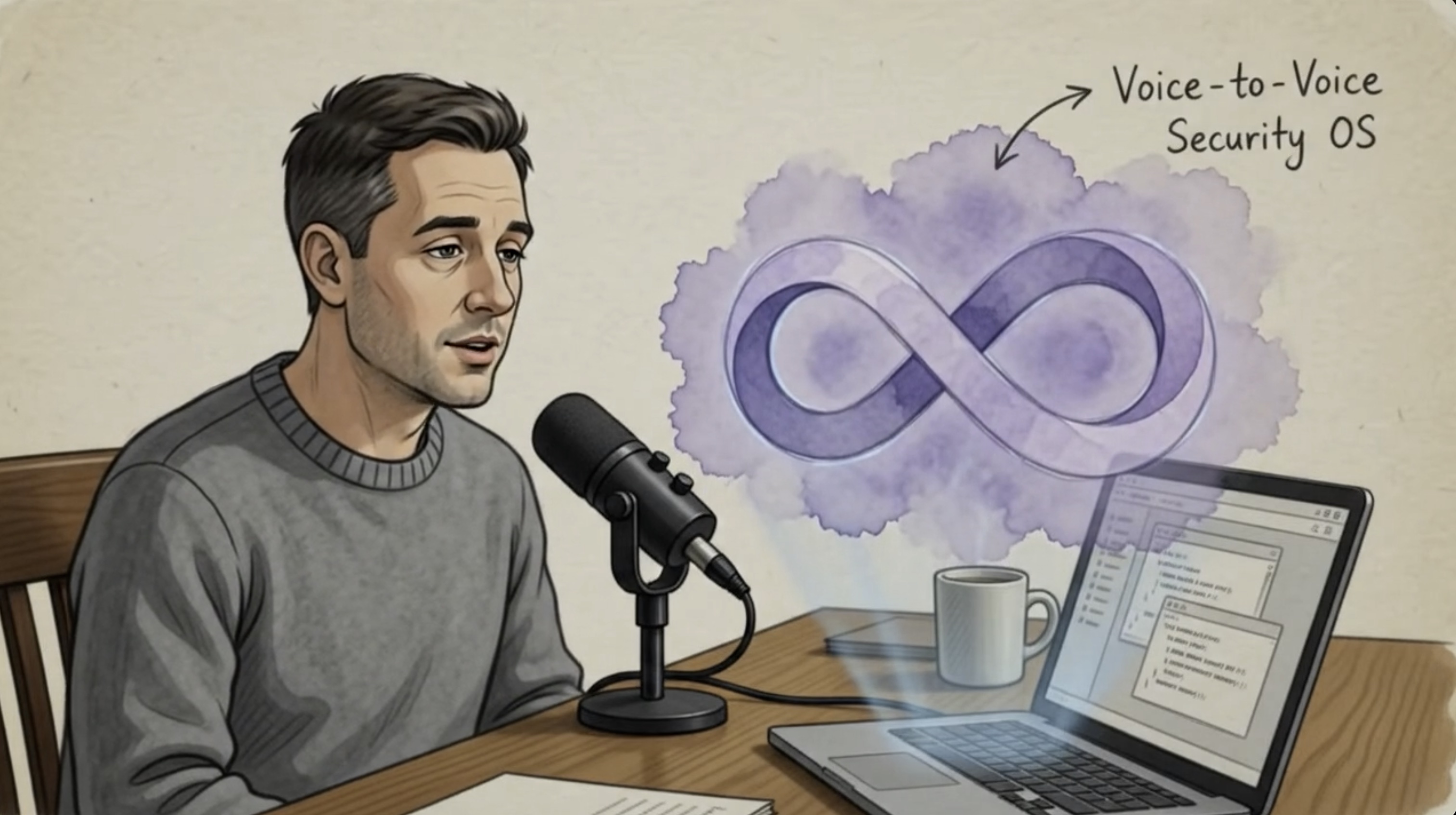
Interface 2: Voice-to-Text and Voice-to-Action
Voice changes the tempo of security operations.
Imagine an analyst at 7:30 a.m., coffee in hand, asking:
"What are my highest-priority alerts today?"
Or during an active incident:
"Check whether this account accessed any production S3 buckets after privilege escalation."
Voice allows the analyst to stay in the flow. It removes friction. It is especially useful when the analyst is reviewing dashboards, walking through an incident bridge, or multitasking during a response.
Strengths
Voice is fast, natural, and low-friction. It lets analysts express intent without stopping to formulate a perfect query. This matters in stressful environments where seconds and attention both count.
Voice is also ideal for progressive investigation:
- "Go deeper."
- "Show me the exact resources."
- "Who owns that system?"
- "Open a ticket and draft the customer impact summary."
A voice interface can make the Security OS feel less like software and more like an investigative partner.
Weaknesses
Voice can be imprecise. Security investigations often depend on exact names: bucket names, IAM roles, CVEs, detection IDs, IP addresses, hostnames, timestamps. Misheard details can be dangerous.
Voice also raises privacy and operational concerns. Not every security conversation should be spoken aloud. Analysts may be in shared spaces, war rooms, or regulated environments where verbalizing sensitive details is inappropriate.
Voice works best when paired with visual confirmation and text-backed evidence. The analyst may ask by voice, but the system should show the exact resources, evidence, and proposed actions before anything important happens.
Interface 3: Pure Conversation
A deeper shift happens when the system becomes conversational across turns.
Not just:
"Here is an answer."
But:
"I found a suspicious outbound transfer. I correlated it with a privileged IAM role. I also found matching application export activity. Do you want to see the data that left, the affected users, or the root cause first?"
This is not a chatbot bolted onto a security stack. It is a conversation-shaped investigation.
Strengths
Conversation matches the way analysts actually think. Investigations are iterative. The first question is rarely the final question. Every answer creates the next branch.
A conversational Security OS can preserve context:
- "That user" still means the user from the previous alert.
- "The bucket" refers to the resource already under investigation.
- "Show me the timeline" means the timeline for this incident, not a generic dashboard.
- "Who should I contact?" depends on the affected systems, severity, and ownership.
This is where the interface becomes dramatically more useful than search.
Weaknesses
Conversation can hide complexity. If the system sounds confident but does not show evidence, analysts may either over-trust it or waste time verifying everything manually.
A security conversation must therefore be evidence-first. Every conclusion should be inspectable. Every recommendation should connect back to telemetry, policy, asset ownership, or business impact.
The interface should not merely say, "This is data exfiltration." It should show why.
Interface 4: Conversation Plus Multi-Faceted Data
The most effective interface is a hybrid: conversation combined with dynamic, actionable visual context.
The analyst converses with the Security OS, and the system responds in multiple modes at once:
- A natural-language explanation
- A timeline of events
- A graph of identities, systems, and data movement
- Highlighted log evidence
- A dashboard of affected resources
- A list of recommended actions
- Buttons to invoke tools
- Draft messages to send to Slack, Jira, PagerDuty, or email
- One-click pivots into SIEM, cloud console, EDR, or ticketing systems
This is where a Security OS becomes more than a chat interface.
It becomes an operating surface.
What This Looks Like
The analyst asks:
"What are my alerts today?"
The Security OS responds:
"I found one high-confidence data exfiltration case. It involves a privileged IAM role, unusual S3 access, and outbound transfer to known malicious infrastructure."
At the same time, the interface shows:
- The exact IAM role involved
- The S3 buckets accessed
- The objects copied
- The destination IP
- The threat intelligence match
- The timeline of access
- The affected business owner
- The recommended containment plan
Then the analyst asks:
"Show me exactly what data left."
The system does not merely write a paragraph. It opens a focused evidence view with resource names, object paths, file types, sensitivity labels, and exposure scope.
Then the analyst asks:
"What should I do?"
The system proposes actions:
- Disable the compromised role
- Rotate credentials
- Preserve logs
- Quarantine affected buckets
- Notify the security lead
- Contact the cloud platform owner
- Draft legal and customer trust summaries
- Open the incident ticket
- Post a concise update to the incident Slack channel
The analyst can inspect, approve, modify, or execute.
That is the key distinction: the interface is not just conversational. It is conversational, visual, and operational.
Pros and Cons of Each Interface
Text-to-Text
Text-to-text is best for precision, auditability, and structured reasoning. It works well when analysts need exact answers, written summaries, and evidence-backed explanations.
Its limitation is that it can become too linear. Security work often requires maps, graphs, timelines, and action panels. Text alone cannot carry the full shape of an investigation.
Voice-to-Text
Voice is best for speed and natural interaction. It lets analysts move quickly and ask questions in the flow of work.
Its limitation is precision and privacy. Voice must be supported by visual confirmation, especially before taking action or handling sensitive findings.
Conversation-Only
Conversation-only interfaces are best for iterative reasoning. They allow analysts to explore uncertainty, ask follow-ups, and refine the investigation naturally.
Their limitation is trust. Without evidence views, citations, logs, and tool pivots, conversation can become opaque.
Conversation Plus Data and Action
The hybrid interface is the most powerful. It combines natural interaction with dashboards, evidence, graphs, workflows, and tool invocation.
Its limitation is design complexity. The system must know when to speak, when to show, when to ask for approval, and when to act. A poor hybrid interface can overwhelm analysts with too much information. A great one reduces cognitive load by showing exactly what matters at exactly the right moment.
The Design Principle: Intent In, Evidence and Action Out
The future security interface should follow a simple principle:
The analyst provides intent. The system returns evidence, context, and safe actions.
This is different from today’s workflow, where the analyst provides queries and manually assembles the answer.
A next-generation Security OS should understand questions like:
- "Is this real?"
- "What changed?"
- "What data left?"
- "Who owns this?"
- "What should I do now?"
- "Can you draft the incident update?"
- "What controls would have prevented this?"
- "Show me the root cause."
And it should answer across systems, not inside one tool silo.
The Analyst Remains in Control
A conversational Security OS should not turn analysts into passive observers.
It should make them more effective.
That means the system should:
- Explain its reasoning
- Show supporting evidence
- Ask for approval before high-impact actions
- Let analysts edit generated communications
- Preserve an audit trail
- Support escalation paths
- Make uncertainty visible
- Distinguish confirmed facts from hypotheses
The best interface is not one that replaces the analyst. It is one that gives the analyst leverage.
The End State: A Security Command Center Powered by Conversation
The next-generation interface for security operations will feel less like searching across tools and more like directing an investigation.
The analyst will ask a question. The system will gather the evidence. Dashboards will assemble themselves around the task. Graphs will show relationships. Timelines will explain sequence. Actions will be proposed in context. Communications will be drafted. Tickets will be created. Slack updates will be posted after review.
The interface will be multimodal because the work is multimodal.
Some moments require text. Some require voice. Some require dashboards. Some require graphs. Some require a button. Some require a human decision.
The Security OS of the future will not force analysts to choose one interface. It will fluidly combine them.
The winning interface is not chat instead of dashboards.
It is conversation that controls, explains, and enriches the dashboard.
It is voice when speed matters, text when precision matters, visual evidence when trust matters, and action workflows when response matters.
That is how security analysts become most effective: not by giving them another tool, but by giving them an operating system for investigation itself.