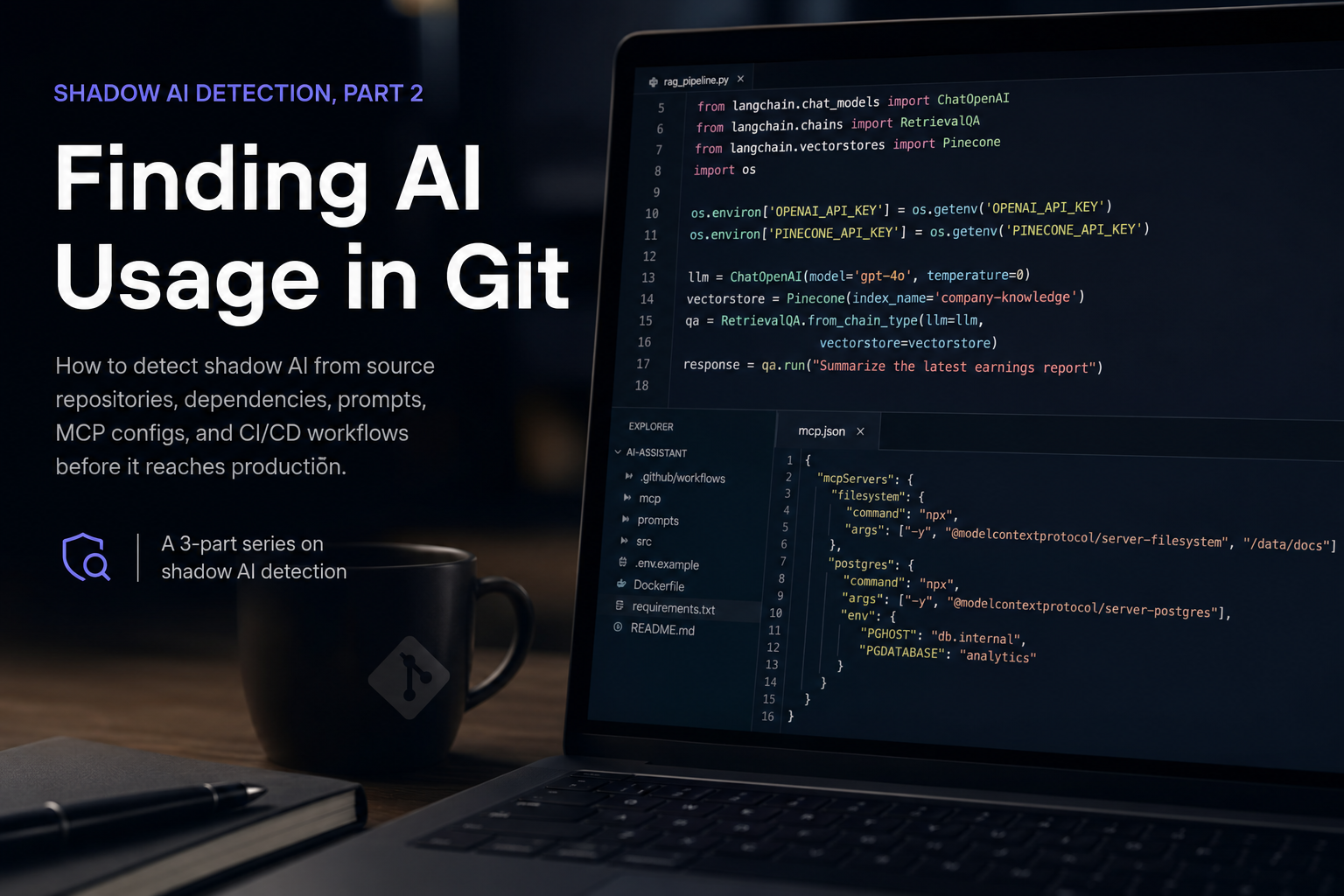
This is part 2 of a shadow AI detection series. It focuses on source evidence: repositories, dependencies, prompts, MCP configuration, CI/CD workflows, and the review paths that make AI adoption visible early.
Open-Source Skills
Engineering teams often adopt AI before a central governance process catches up. A developer adds an SDK to prototype a chatbot. A team commits a prompt template. A build job calls an AI API to summarize pull requests. Someone wires an MCP server into a local toolchain. A product team adds embeddings and a vector database for search. None of these actions are necessarily malicious, but each one changes the organization's data, code, and vendor-risk surface.
For MDR and security teams, the useful question is not simply whether AI appears in code. The useful question is: which repositories contain AI usage, what kind of AI system is being built, what data or tools could it touch, how strong is the evidence, and what should be reviewed first?
This post describes a reusable Git-focused approach for detecting shadow AI from source repositories, dependency manifests, lockfiles, prompt files, MCP configs, CI/CD workflows, Dockerfiles, and repository configuration. It converts field investigation logic into open-source Claude/Codex skills.
Why Git Is a High-Value Shadow AI Source
Cloud and network telemetry can show runtime behavior, but Git often shows intent first. Source repositories contain the design choices that later become production AI usage:
- Provider SDK imports and API clients.
- Model IDs and routing configuration.
- Prompt templates and system prompts.
- Agent frameworks and tool loops.
- MCP server definitions.
- Vector database clients and retrieval code.
- Fine-tuning, eval, and benchmark assets.
- CI/CD workflows that call AI tools.
- Environment variable names for AI vendors.
- Dockerfiles and package manifests that pull AI libraries or model tooling.
Git evidence also helps answer questions that flow logs and CloudTrail cannot answer directly. VPC Flow Logs can show a workload talking to an endpoint. Source code can show that the workload imported an AI SDK, used a specific agent framework, configured a vector store, or exposed a filesystem tool through MCP.
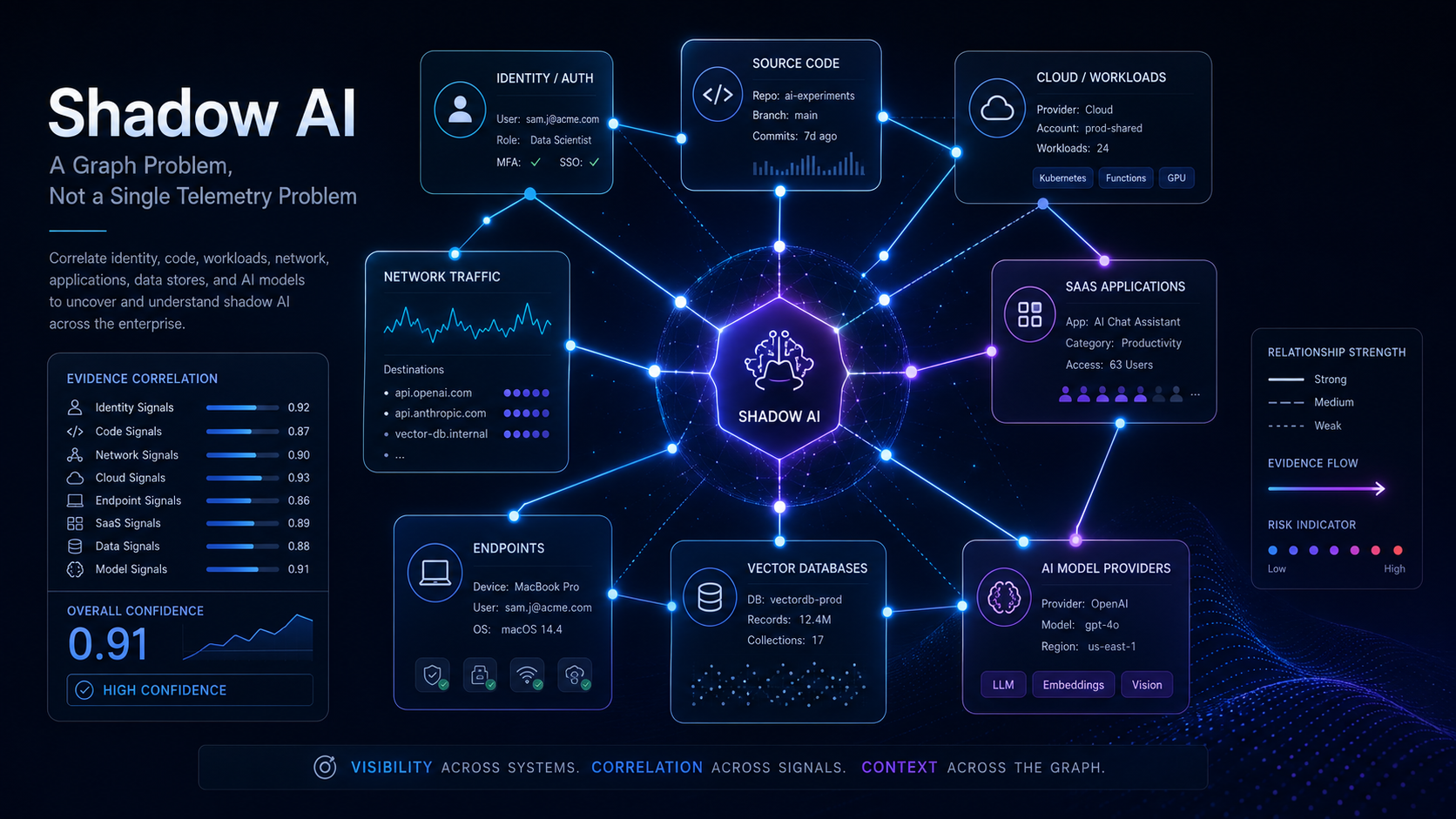
The strongest outcome comes from correlating Git evidence with cloud, network, identity, and vendor telemetry. But Git is often the best starting point because it gives reviewers a concrete file, line, component, and owner path.
What Counts as Shadow AI in Git
Shadow AI in Git is broader than a direct call to a model provider. A repository may introduce AI risk even when no model API call is visible in the same file.
Useful categories include:
- Model provider usage: OpenAI, Anthropic, Gemini, Vertex AI, Bedrock, Cohere, Mistral, Groq, Hugging Face, Replicate, Together, OpenRouter, Perplexity, or similar providers.
- Agent frameworks: LangChain, LangGraph, LlamaIndex, CrewAI, AutoGen, Semantic Kernel, Haystack, DSPy, and custom planning loops.
- MCP tooling:
.mcp.json,mcpServers, MCP server packages, local command bridges, filesystem tools, browser tools, database tools, or SaaS connectors. - Prompt surfaces: system prompts, prompt templates, user-prompt assembly, jailbreak tests, prompt-injection tests, and eval prompt sets.
- RAG and vector stores: Pinecone, Qdrant, Weaviate, Chroma, Milvus, Zilliz, pgvector, OpenSearch, Elasticsearch, Redis vector, document chunking, and embedding pipelines.
- Training and eval data: fine-tuning scripts, benchmark fixtures, labeled examples, eval harnesses, golden datasets, and model comparison runs.
- AI supply chain: package dependencies, model download code, Docker images, build-time package installs, and AI observability or eval tooling.
- CI/CD AI usage: pull request review bots, release-note generation, test generation, code summarization, documentation generation, and build-time calls to model providers.
- Secret and configuration indicators: environment variable names for AI providers, vector databases, tracing services, and model gateways.
The goal is not to label every match as a security issue. The goal is to build an inventory with evidence quality, confidence, and review priority.
The Detection Model
The Git detection model separates evidence into confidence levels. This prevents a common problem in AI discovery: treating every keyword hit as confirmed AI usage.
Confirmed Code Usage
confirmed_code_usage is the strongest static evidence level. It means the repository contains direct source or configuration evidence such as:
- SDK imports.
- Provider client construction.
- API calls.
- Explicit model IDs.
- MCP server definitions.
- Vector store setup.
- Runtime environment wiring.
- Agent framework usage.
Examples include an import from a model SDK, a model name in configuration, a call to a chat or embedding endpoint, or an MCP server entry that exposes a local command.
Confirmed code usage does not always prove production runtime activity. It does show that the repo contains implementation-level AI capability.
Dependency Signal
dependency_signal means the repository contains AI-related dependencies but no direct usage was found in the scanned files.
Examples include:
openaiinrequirements.txt.@anthropic-ai/sdkinpackage-lock.json.langchaininpyproject.toml.qdrant-clientin a dependency manifest.- Docker images or build commands that install AI tooling.
Dependency evidence is useful because it often appears before implementation lands, or after code was removed but packages remain. It should be validated before claiming active usage.
Prompt or Data Signal
prompt_or_data_signal means the repository contains prompt, eval, training, benchmark, or dataset artifacts.
Examples include:
SYSTEM_PROMPTconstants.- Prompt template files.
- Jailbreak or prompt-injection test cases.
- Fine-tuning data.
- Eval suites.
- Golden datasets.
- Model comparison fixtures.
This category is important because prompt and eval files may contain business logic, sensitive instructions, customer examples, or internal process details. Even without runtime code, these artifacts can create data governance and intellectual-property risk.
CI/CD Signal
ci_cd_signal means AI indicators appear inside automation files such as GitHub Actions, GitLab CI, Buildkite, Jenkins, or release scripts.
This deserves separate treatment. AI in CI/CD may expose:
- Source code.
- Pull request diffs.
- Build logs.
- Test output.
- Release notes.
- Secrets available to the job.
- Artifact metadata.
AI usage in CI/CD can be legitimate, but it should have explicit approval, least-privilege secrets, logging, and vendor review.
Keyword-Only Signal
keyword_only is a weak signal from names, comments, documentation, or generic terms.
Words like assistant, agent, studio, or automation may have non-AI meanings. Keyword-only hits belong in a review queue, not in an executive finding, unless additional evidence raises confidence.
Why MCP Needs Its Own Category
Model Context Protocol deserves special handling because it is about tool exposure, not just model calls.
An MCP configuration may expose:
- Local files.
- Shell commands.
- Databases.
- Cloud services.
- Browsers.
- Ticketing systems.
- Source repositories.
- SaaS APIs.
A repository with MCP server definitions may not call an LLM directly, but it may define the tools that an AI client can use. That means the security question shifts from “which model is used?” to “what can the AI-connected tool access?”
High-priority MCP review questions include:
- Which server is configured?
- Is it local, internal, or third-party?
- What command does it run?
- Which environment variables does it receive?
- Does it access files, shells, browsers, databases, or cloud APIs?
- Is it intended for local developer use, CI/CD, or production?
- Is there an owner and approval path?
MCP evidence is strong even when it appears in a developer config file because it documents a concrete tool bridge.
RAG and Vector Evidence
RAG systems often leave clear Git traces. Look for:
- Embedding model calls.
- Chunking code.
- Vector-store clients.
- Retrieval chains.
- Document loaders.
- Search index schemas.
- Reranking code.
- Object-store or database reads near embedding logic.
RAG evidence should be separated into two broad patterns:
Query-Time RAG
Query-time RAG usually appears as user request handling followed by vector search and model generation. In code, this may look like:
- API route receives a query.
- Retriever calls a vector store.
- Retrieved context is inserted into a prompt.
- Model provider returns a generated response.
This pattern raises questions about what documents can be retrieved and whether retrieved content is sent to an external provider.
Indexing RAG
Indexing RAG usually appears as a batch or background pipeline:
- Read documents from storage.
- Chunk text.
- Generate embeddings.
- Upsert vectors.
- Store metadata.
This pattern raises questions about bulk data movement, embedding provider exposure, retention, deletion, and whether sensitive documents were included.
Both patterns matter, but they have different risk profiles and different owners.
AI Supply Chain Signals
AI supply chain findings are easy to underweight. They should not be ignored.
AI dependencies can introduce:
- New vendor code.
- Transitive packages.
- Model download behavior.
- Native dependencies.
- GPU runtime assumptions.
- Telemetry or tracing libraries.
- Build-time calls to package registries or model hubs.
Important files include:
requirements.txtpyproject.tomlpoetry.lockpackage.jsonpackage-lock.jsonpnpm-lock.yamlyarn.lockgo.modCargo.tomlDockerfile- CI workflow files
Dependency-only findings should usually be medium confidence. They become higher priority when paired with direct code usage, secrets, prompts, vector stores, or CI/CD execution.
Secrets and Configuration
Git AI scanning should look for secret names, not secret values. A public reusable skill should never collect or print actual credentials.
Useful indicators include environment variable names such as:
OPENAI_API_KEYANTHROPIC_API_KEYGOOGLE_API_KEYCOHERE_API_KEYMISTRAL_API_KEYPINECONE_API_KEYQDRANT_API_KEYLANGCHAIN_API_KEYHF_TOKEN
A secret-name match tells reviewers that the repository expects access to an AI or vector service. It does not mean the secret value is committed. If a value appears, report only a redacted excerpt and route the issue through the normal secret-response process.
The Reusable Skill Layout
The implementation is split into two Git skills so detection and reporting stay separate.
git-shadow-ai-detection
This skill scans source repositories and writes machine-readable evidence artifacts.
It accepts either:
- A single checked-out repository.
- A folder containing multiple repositories.
- A text file containing explicit repo paths.
The analyzer writes:
git_shadow_ai_summary.jsongit_shadow_ai_findings.csvgit_ai_dependencies.csvgit_ai_prompts.csvgit_ai_mcp_findings.csvgit_ai_rag_findings.csv
Each finding includes:
- Repository name.
- Repository path.
- Commit SHA when available.
- File path.
- Line number.
- Category.
- Component.
- Confidence.
- Redacted evidence excerpt.
- Reason.
The skill also includes concise references for AI code patterns, evidence confidence, and risk categories.
git-ai-security-weekly-report
This skill turns analyzer outputs into a security report.
It writes:
git_ai_security_report.mdgit_ai_security_report_summary.jsongit_ai_security_findings.csvgit_ai_priority_findings.csvgit_ai_mcp_and_agent_findings.csvgit_ai_prompt_rag_training_findings.csvgit_ai_supply_chain_findings.csv
The report groups findings by:
- Priority.
- Model providers.
- Agent frameworks.
- MCP tooling.
- Prompt and data surfaces.
- RAG and vector stores.
- Training and eval artifacts.
- Supply chain.
- CI/CD usage.
Recommended Weekly Workflow
A practical weekly workflow looks like this:
- Define the repository scope.
- Check out repos at known commits.
- Run Git shadow-AI detection.
- Review high-confidence findings first.
- Review MCP and CI/CD findings before low-confidence keyword matches.
- Run the Git AI security report builder.
- Validate ambiguous findings with owners.
- Correlate confirmed code usage with cloud, network, identity, or vendor telemetry where available.
- Track deltas week over week.
- Add approved usage to an inventory with owner, provider, model, data class, and control status.
The most important operational rule is to avoid overclaiming. Git can show implementation evidence, but runtime claims should be tied to runtime evidence.
Prioritization Model
Not every AI finding deserves the same response. A useful prioritization model considers both confidence and blast radius.
High-priority findings include:
- Confirmed model provider usage in production repos.
- MCP servers exposing filesystem, shell, browser, database, cloud, or SaaS tools.
- AI usage inside CI/CD workflows.
- Prompt files containing sensitive business logic or customer examples.
- RAG pipelines touching customer, employee, financial, legal, or regulated data.
- Secret-name indicators paired with committed values or broad CI secrets.
- Agent frameworks with broad tool access.
- AI dependencies introduced into critical services without owner approval.
Medium-priority findings include:
- Dependency-only AI SDKs.
- Vector-store clients without direct usage.
- Prompt or eval artifacts with no production wiring.
- Internal prototypes without sensitive data.
Low-priority findings include:
- Documentation-only mentions.
- Comments that refer to future AI plans.
- Generic names such as assistant, agent, or automation without supporting context.
This prioritization keeps review effort focused where AI could actually touch code, credentials, data, tools, or production automation.
Reporting Language That Avoids Overclaiming
Precise language matters. Recommended phrasing:
- “The repository contains direct source evidence of AI provider usage.”
- “The dependency manifest references an AI SDK, but direct runtime usage was not found in the scanned files.”
- “The repository contains MCP server configuration and should be reviewed for tool exposure.”
- “The prompt artifact may contain business logic or sensitive examples and should be reviewed by the owner.”
- “The CI workflow references an AI-related secret name and should be validated for build-time AI usage.”
- “Runtime usage was not established from Git evidence alone.”
Avoid unsupported phrasing such as:
- “The model was used in production.”
- “Data was exfiltrated to the provider.”
- “The application is approved.”
- “The repository is safe because no provider SDK was found.”
- “No shadow AI exists.”
Source evidence is powerful, but it is one part of the full investigation.
How Git Evidence Raises Confidence in Cloud Investigations
Git findings are especially useful when paired with other telemetry.
Examples:
- Git shows
qdrant-client; VPC Flow Logs show traffic to a vector database. - Git shows an MCP filesystem server; endpoint telemetry shows a developer tool spawning that server.
- Git shows
bedrock-runtime; CloudTrail showsInvokeModelorConverseevents. - Git shows prompt templates; application logs show model invocation from the same service.
- Git shows GitHub Actions using an AI key name; CI logs show the workflow executed during the same window.
- Git shows a vector pipeline; object-store logs show bulk document reads.
This correlation is how a reviewer moves from “possible AI code” to “probable AI system” or “confirmed runtime AI usage.”
What Git Scanning Cannot Prove
Git scanning has important limits:
- It cannot prove runtime activity by itself.
- It cannot prove which prompts were sent to a provider.
- It cannot prove which data was included in a model request.
- It cannot prove the current production deployment state.
- It cannot see AI usage hidden behind a shared internal gateway unless the repo includes that gateway client or configuration.
- It cannot identify exact SaaS model names unless model IDs appear in code or config.
Those limits are why findings should carry confidence labels and reasons.
From One-Off Review to Reusable MDR Skill
The key design choice is repeatability. A good Git shadow-AI skill should:
- Scan the same evidence classes every time.
- Produce CSV and JSON artifacts that can be diffed over time.
- Redact secret values automatically.
- Preserve file paths and line numbers.
- Separate weak keyword hits from confirmed code usage.
- Split MCP, prompts, RAG, dependencies, and CI/CD into reviewable outputs.
- Generate a concise security report from the same evidence.
That turns an ad hoc source review into a repeatable MDR workflow. It gives security teams an inventory, gives engineering teams specific files to validate, and gives governance teams a practical way to track AI adoption as it appears in code.
The goal is not to block every AI experiment. The goal is to make AI usage visible early enough that teams can approve it, secure it, monitor it, and keep sensitive data out of unmanaged paths.
Series Navigation
Previous: Part 1